YLH Auto
v1.8.2 · Edge / Chrome
YouLikeHits on autopilot: opens the video, likes, follows or watches it, confirms the task and moves on. Three modes, auto-retry, and the TikTok tab only closes once the site accepted the action.

Please read the rules and policies before entering. Everything here is for educational purposes only.
 3 categories · free · no quota
Welcome to Pluginos. Simple, free, open source tools — no account, no paywall, no quota.
Pick a category. Tools marked LIVE are downloadable right now — the rest is on the way.
Browser extensions, ready to load.
YouLikeHits on autopilot: opens the video, likes, follows or watches it, confirms the task and moves on. Three modes, auto-retry, and the TikTok tab only closes once the site accepted the action.
Prompts that unlock models. One click to copy.
External sites worth knowing — I list them, I don't host them.
Botting for TikTok — views, likes, shares. Old-school interface, but it still works.
Botting for TikTok — second option when Zefoy is down or saturated.
People search / OSINT. Desktop only — use it legally and with consent.
Multi-source search, mobile and desktop. Same idea, another index.
I'm a solo dev. I build tools for educational purposes — and mostly because I learn things by making them.
I really don't like my plugins or my sites being paid or closed source. This site stays closed source, but my plugins are open source, free, and have no quota.
Thanks for using my plugins, or for just dropping by my site ♥
Thank you !
I'm a solo dev. I build plugins and tools for educational purposes — and because I learn by building them.
I don't like my plugins being paid or closed source. The site stays closed source, but my plugins are open source, free, and without quota.
Thanks for using my plugins, or for visiting my site ♥
Thank you !
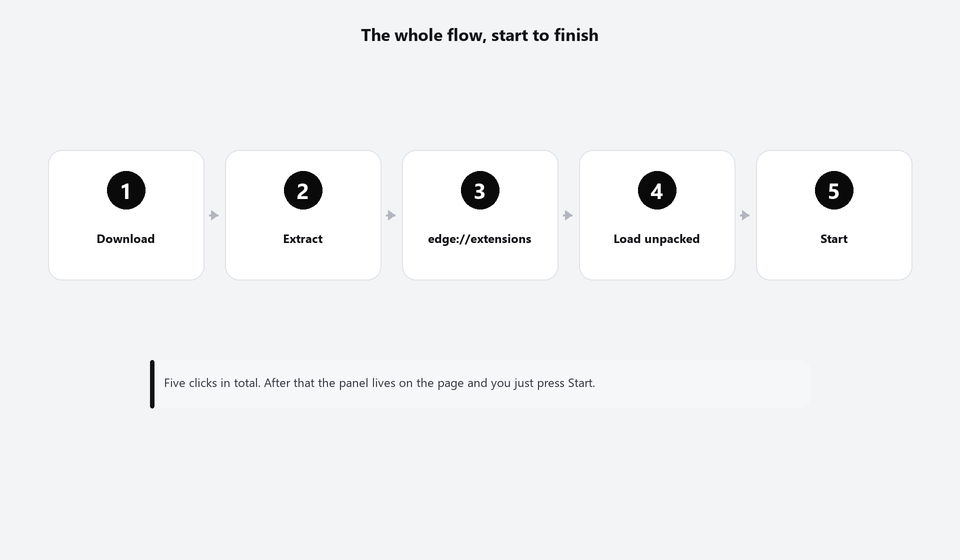
Five steps, about a minute. No store, no account, no build tools — Windows can extract the zip on its own.
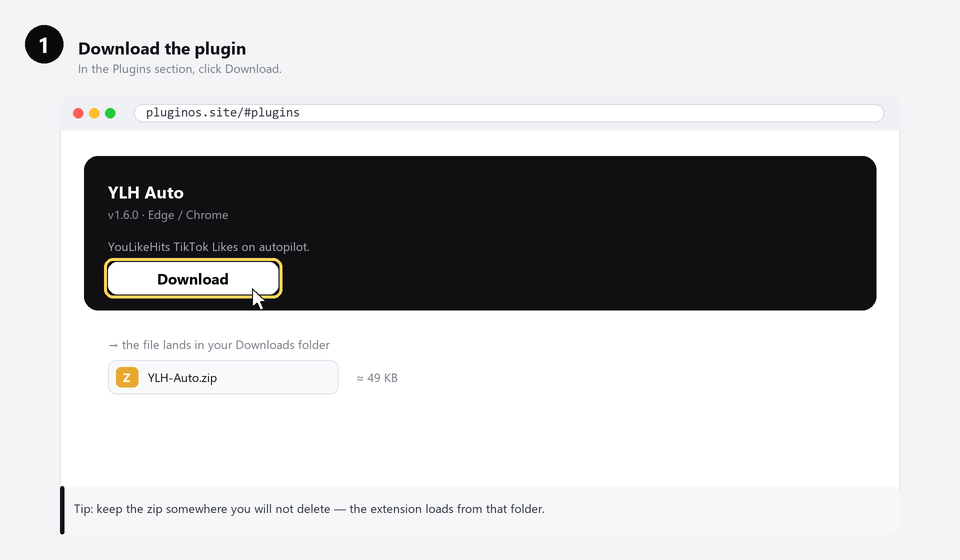
In the Plugins section above, click Download. The file YLH-Auto.zip lands in your Downloads folder.
Open Downloads, right-click YLH-Auto.zip and choose Extract All…, then Extract. You get a normal folder named YLH-Auto.
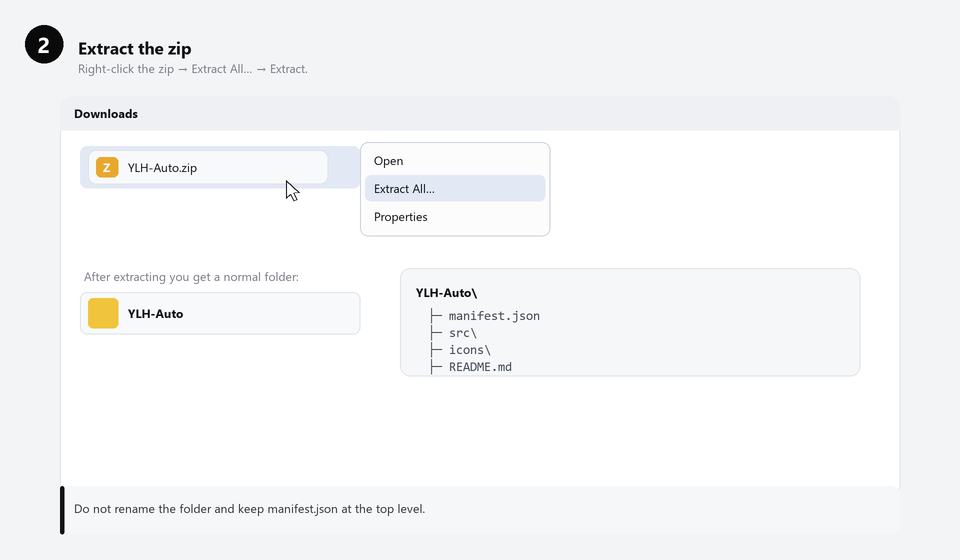
Keep the folder somewhere permanent — the extension runs from it. Don't rename it, and don't move manifest.json out of it.
Open a new tab, type edge://extensions and press Enter. Then switch Developer mode on — the Load unpacked button only appears once it's enabled.
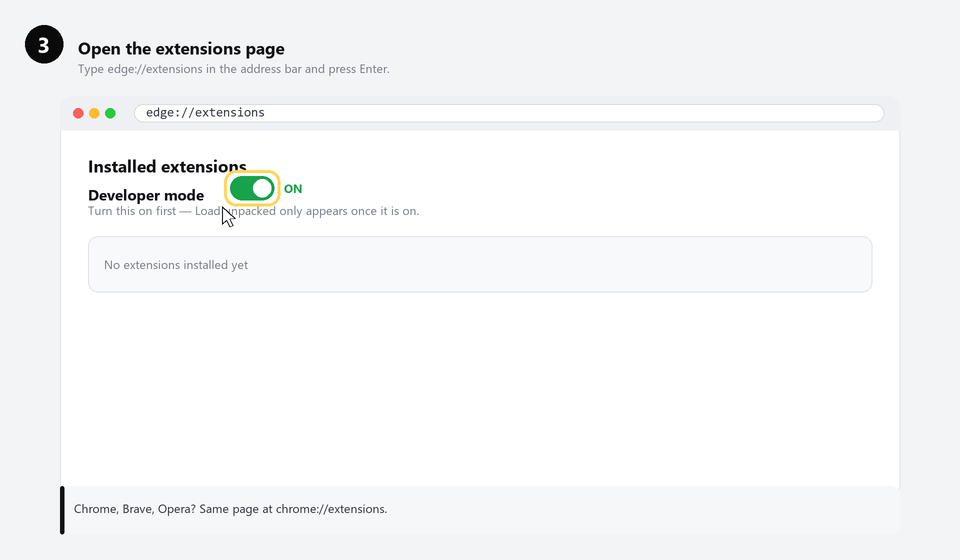
On Chrome, Brave or Opera the same page is at chrome://extensions.
Click Load unpacked and select the YLH-Auto folder — the one that contains manifest.json, not the folder above it. A YLH Auto card appears with its toggle enabled.
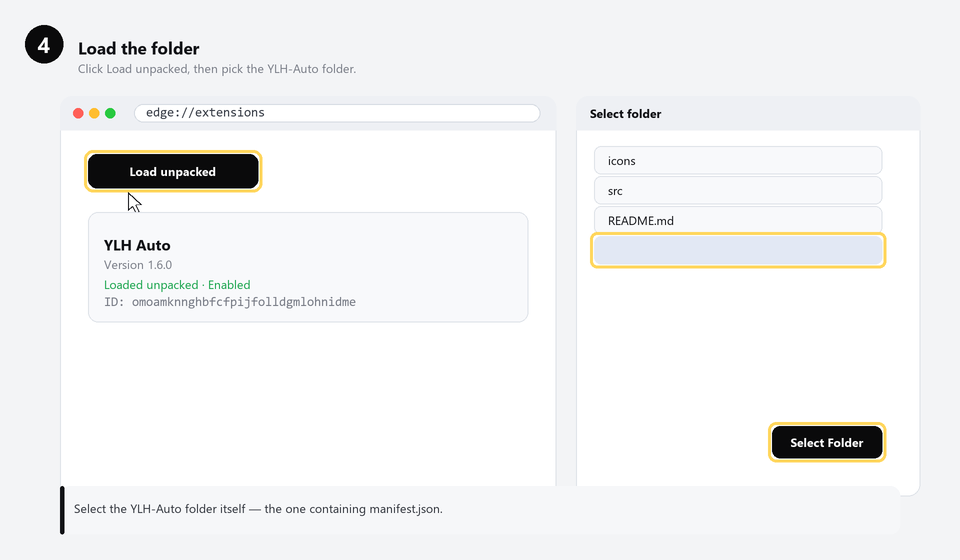
If you see "Manifest file is missing or unreadable", you picked the wrong folder — go one level down into YLH-Auto.
Open YouLikeHits, press F5, and the YLH Auto panel shows up in the bottom-right corner. Set Max actions, then click Start. Stop ends the run whenever you want.
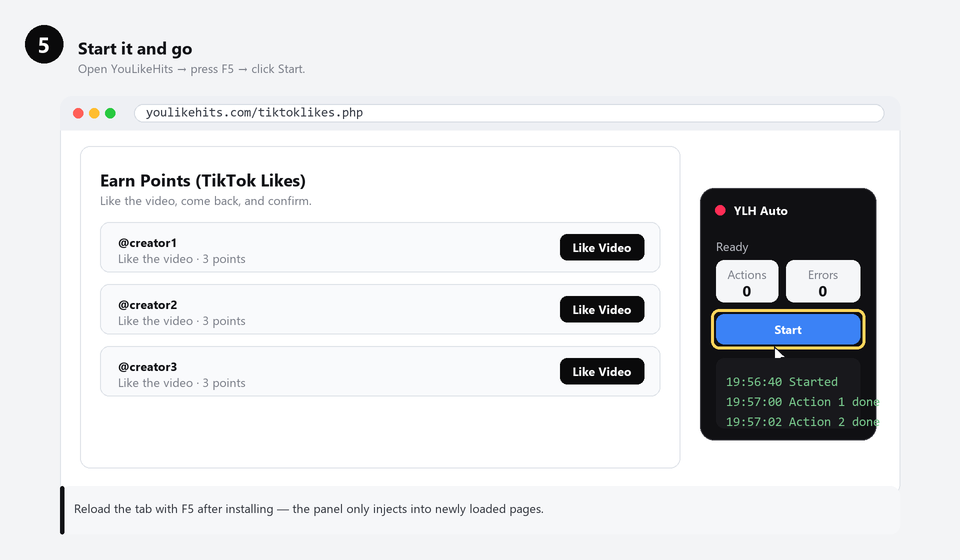
No panel? The page was loaded before the extension — just reload it with F5.
The DeepSeek prompt is in your clipboard.